CASE STUDIES · SERVICELINK
EXOS Migration Platform
Designing a scalable dashboard system for a national operations platform
A national operations platform. Dozens of subsystems. No shared language for how data was presented. I designed a dashboard template that standardized information architecture across the platform. Flexible enough to hold different datasets, consistent enough to make training unnecessary.
Context
01 · THE PROBLEM
The first thing I did when I joined this project was go through the onboarding that every new user had to complete. It took hours...
The EXOS platform had been built incrementally over many years (patches on top of patches) and the result was a system where every subsystem operated by its own logic.
Different navigation structures. Different filtering patterns. Different naming conventions. If you moved between departments, you essentially learned a new tool.
ServiceLink was migrating several of these legacy systems into a single, modern platform. The business analysts had already conducted interviews with users across operational areas to understand how each subsystem worked and what information mattered most to each team. Their findings pointed to a consistent set of issues: dashboards varied widely in structure, filtering mechanisms were inconsistent across systems, and navigating between different data types required moving across multiple screens.
The goal they handed me was clear: design a flexible dashboard template that could standardize data exploration across subsystems, built to accommodate different datasets without requiring a new design from scratch every time.
What I did
02 · THE PROCESS
2.1 Mapping the information structure
I started by working through the research insights the business analysts had gathered, not to find a single dominant user need, but to identify the structural logic that could work across all of them.
The central tension was this: each subsystem handled a different type of operational data, but users across all of them were doing the same fundamental thing: Trying to find specific information within a large dataset, quickly, without getting lost. The problem wasn't the content. It was the lack of a shared navigation language.
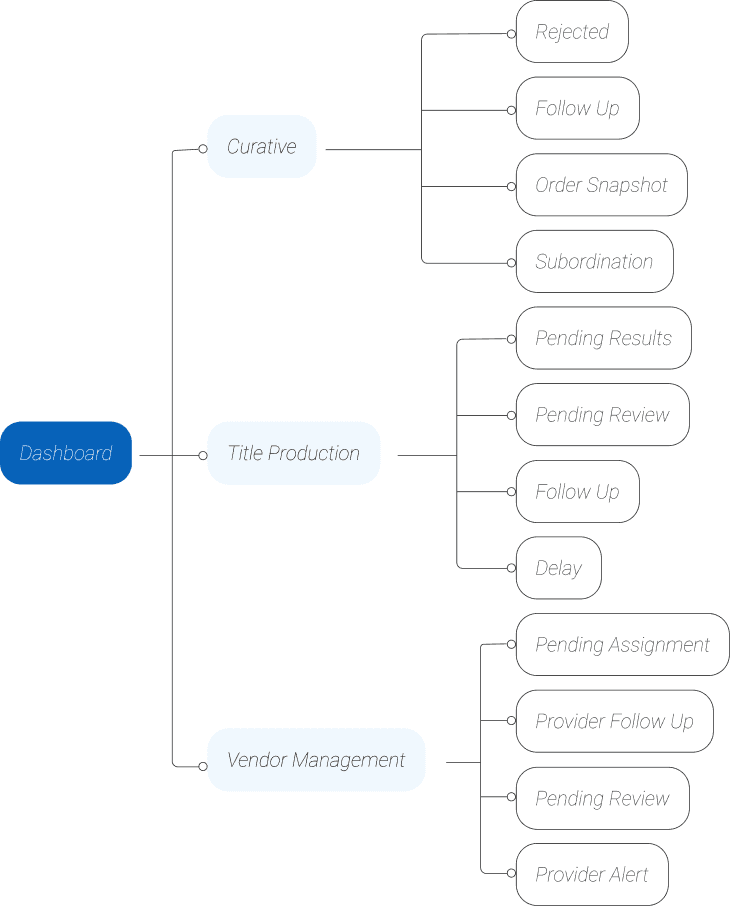
2.1.1 MAPPING ARCHITECTURE
Rather than designing for any one subsystem, I focused on building an architecture that could hold different content types while keeping the exploration logic consistent. I iterated through several structural alternatives with the UX team, testing the hierarchy until we arrived at a model that made sense across contexts.
2.1.2 A FOUR-COMPONENT INTERACTION SYSTEM
The final structure introduced a three-level filtering flow, expressed through four named components.
01.
The primary filter. A top-level navigation that allowed users to select which subsystem they wanted to explore, establishing the data context for everything below it.
02.
The secondary filter. A row of status cards anchored to the top of the content area, each representing a possible state within the selected subsystem. One click narrowed the view.
03.
The tertiary layer. A categorized panel on the left side that displayed summarized information based on the first two selections, allowing users to orient themselves before committing to a detailed view.
04.
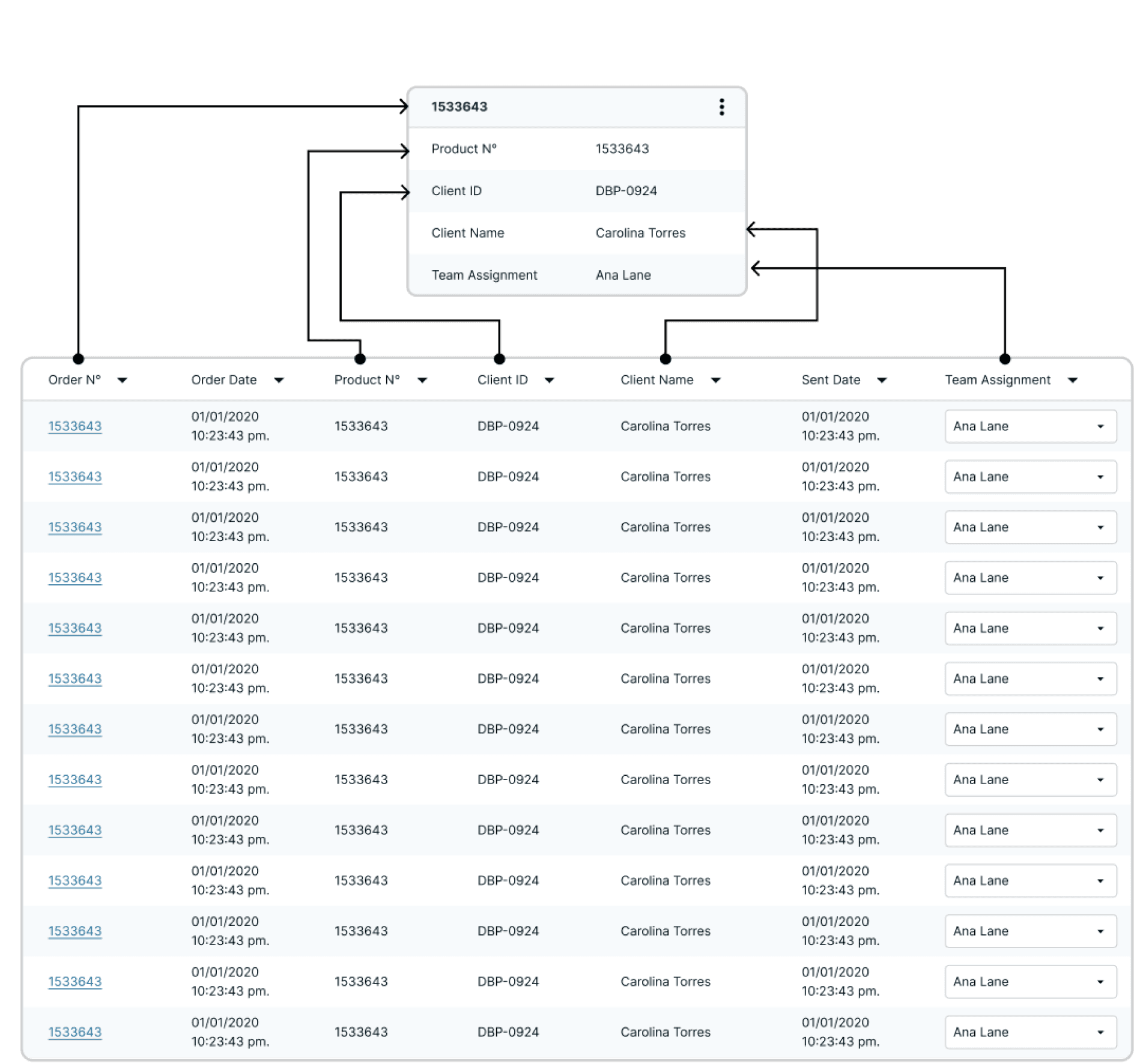
The final display. The detailed dataset corresponding to all filters applied above. By the time a user reached this table, they had already narrowed the data twice. The table showed exactly what they were looking for.
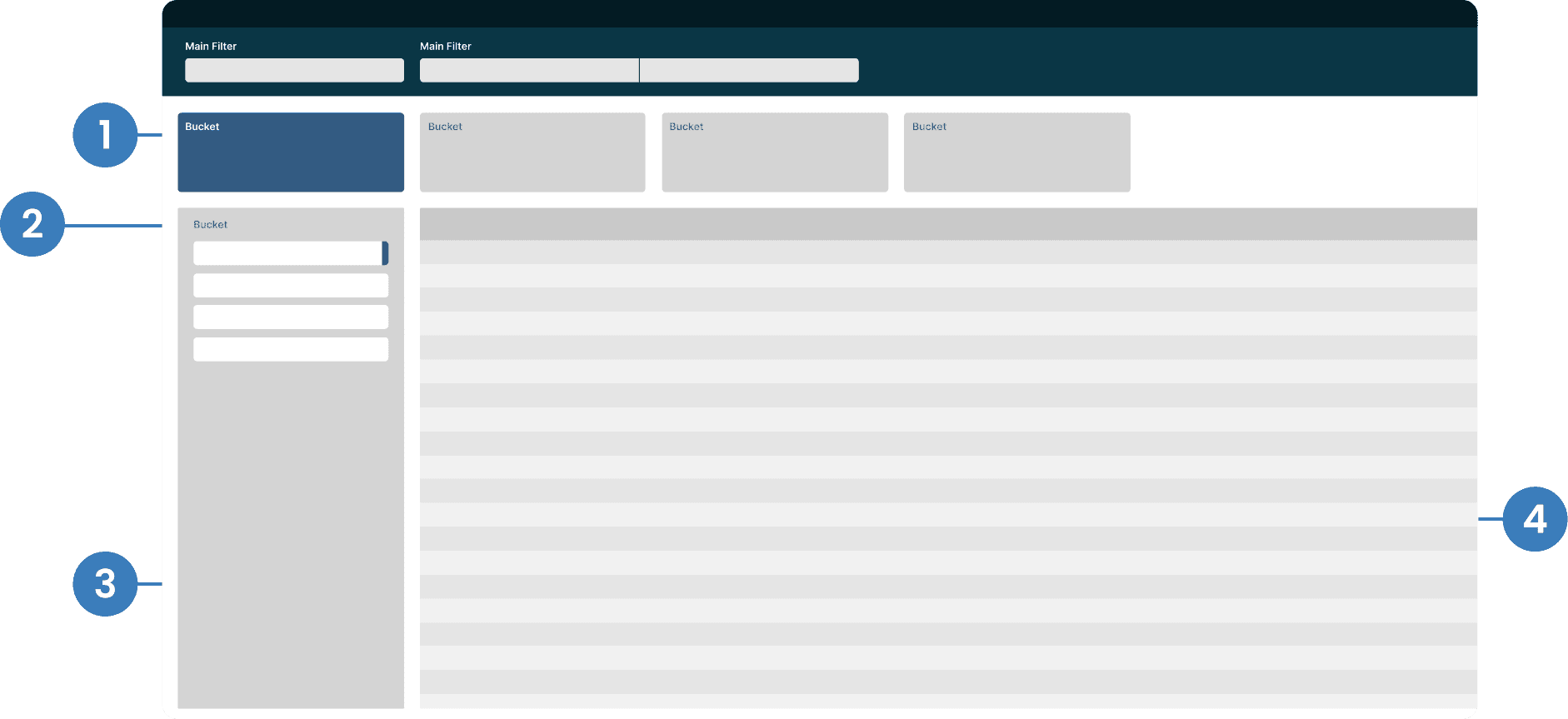
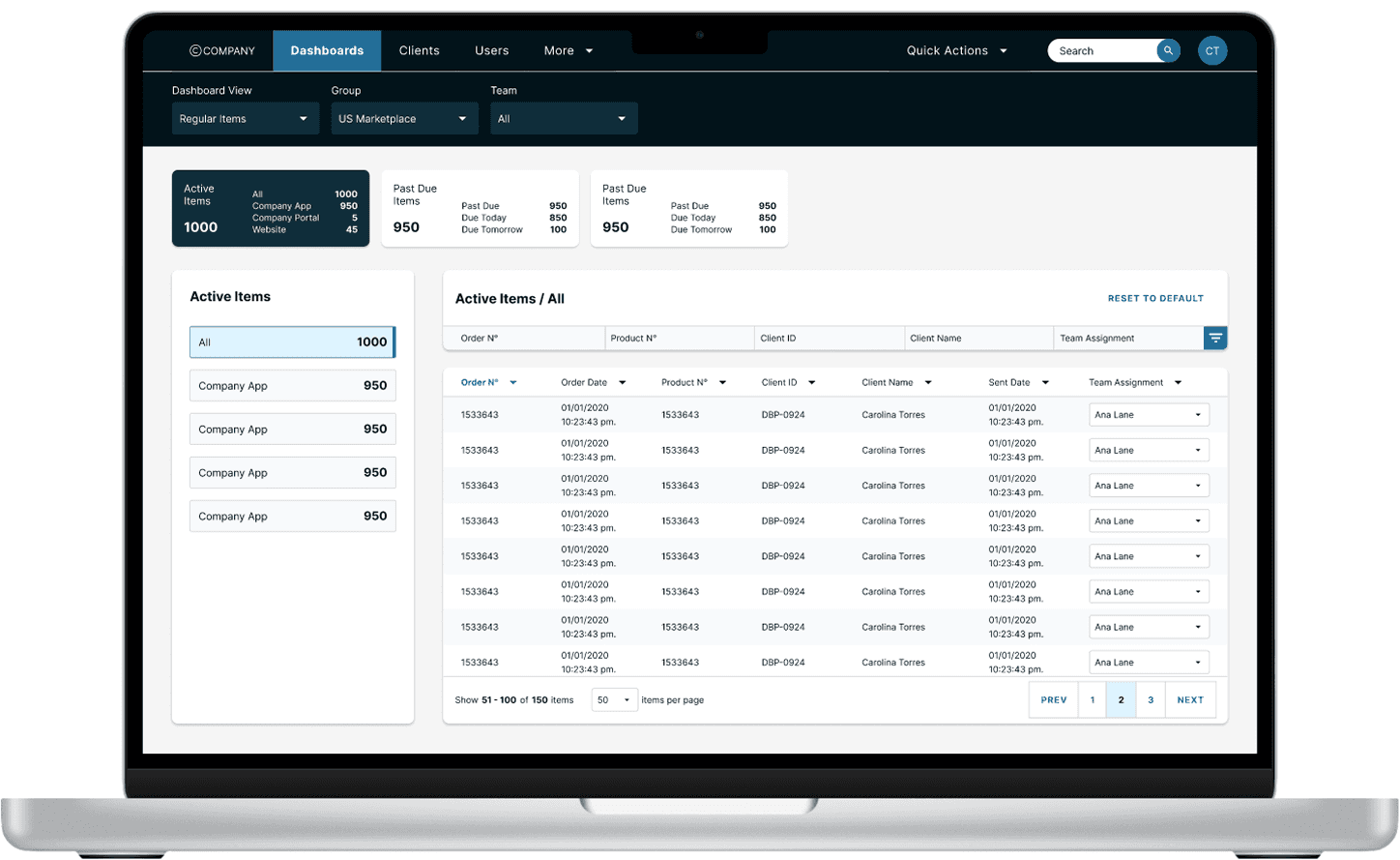
The logic was progressive. Each layer reduced noise before introducing the next. Users didn't have to navigate across screens or learn different filtering patterns per subsystem, the structure did the work.
2.2 Mobile adaptation
The EXOS platform was designed for desktop. That's where the majority of users worked, and where the data tables made sense. But the organization decided to explore a mobile-compatible version, and I was responsible for translating the dashboard experience to smaller screens. The straightforward approach (scaling down the tables) didn't hold up. Through my own analysis of the desktop flows and conversations with business analysts, it became clear that the volume of data in those tables was the wrong thing to prioritize on mobile. The tables were built for review and audit, not for quick access.
Mobile users needed something different: fast orientation, key status at a glance, and the ability to act without wading through full datasets.
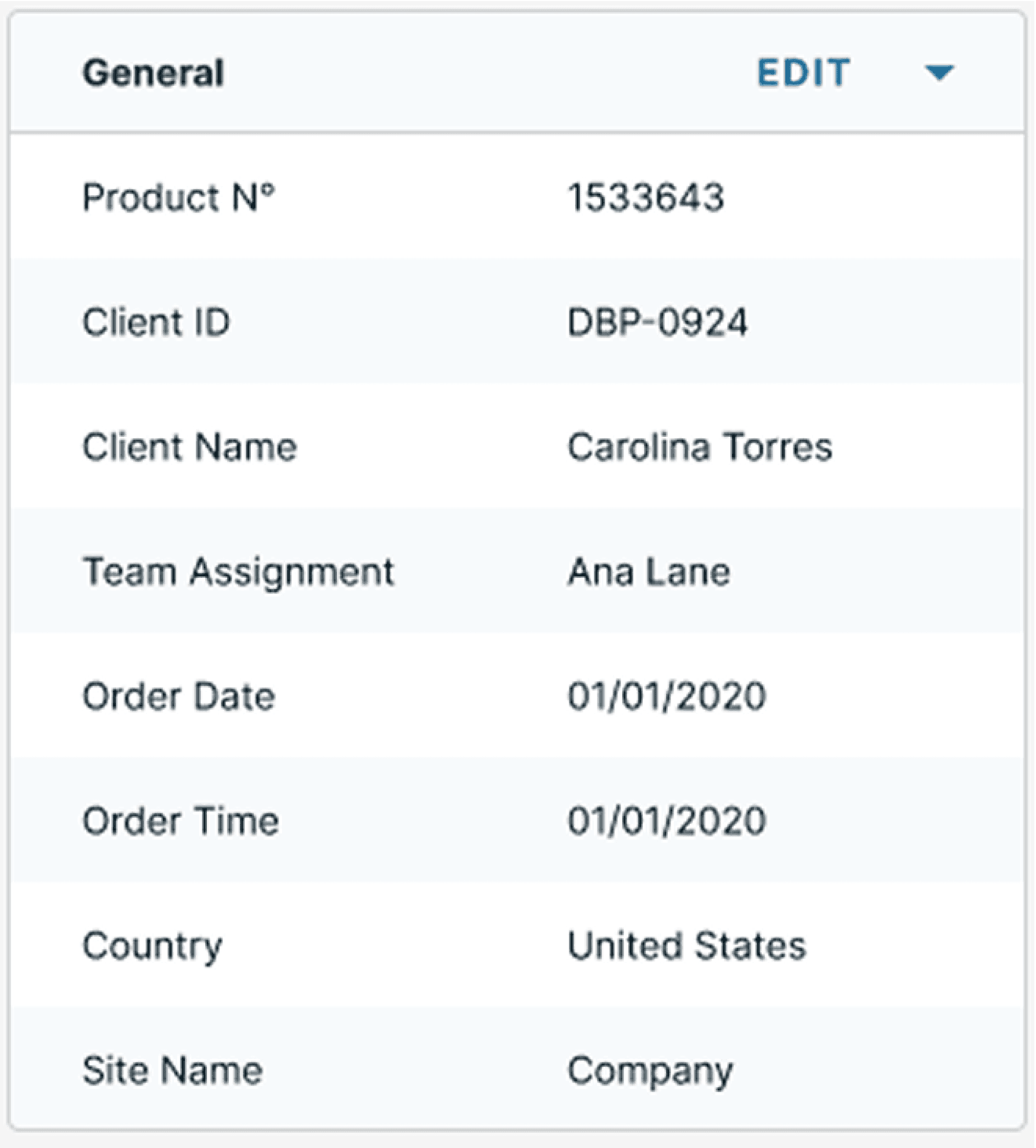
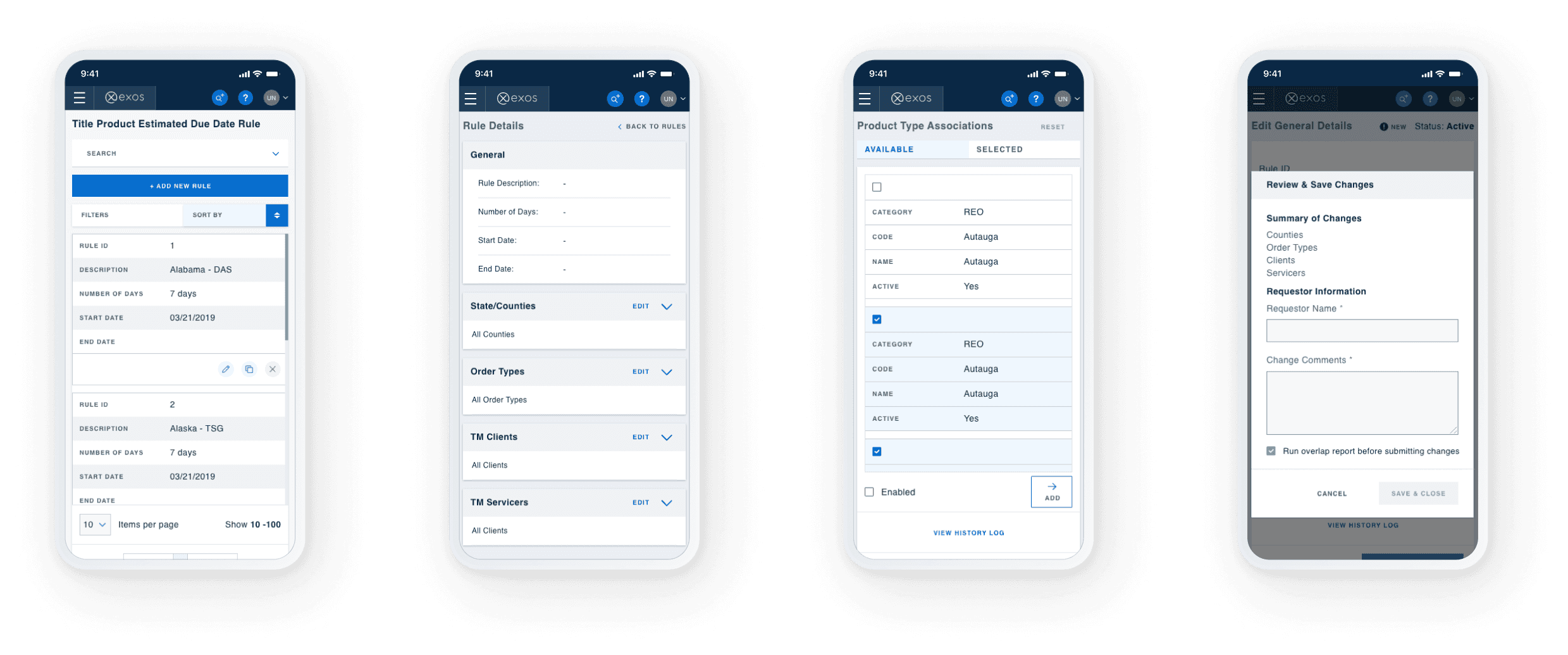
This led me to a deliberate structural shift. Instead of adapting the tables, I replaced them with a card-and-tab system.
Each card surfaced the specific details that carried value in a mobile context. Tabs distributed information across focused views rather than one dense table. The visual language remained consistent with the desktop design system, the components felt like siblings, not translations.
The result was a mobile experience that shared the logic of the desktop version without replicating its format. Same mental model. Different information density.
2.3 Design system integration
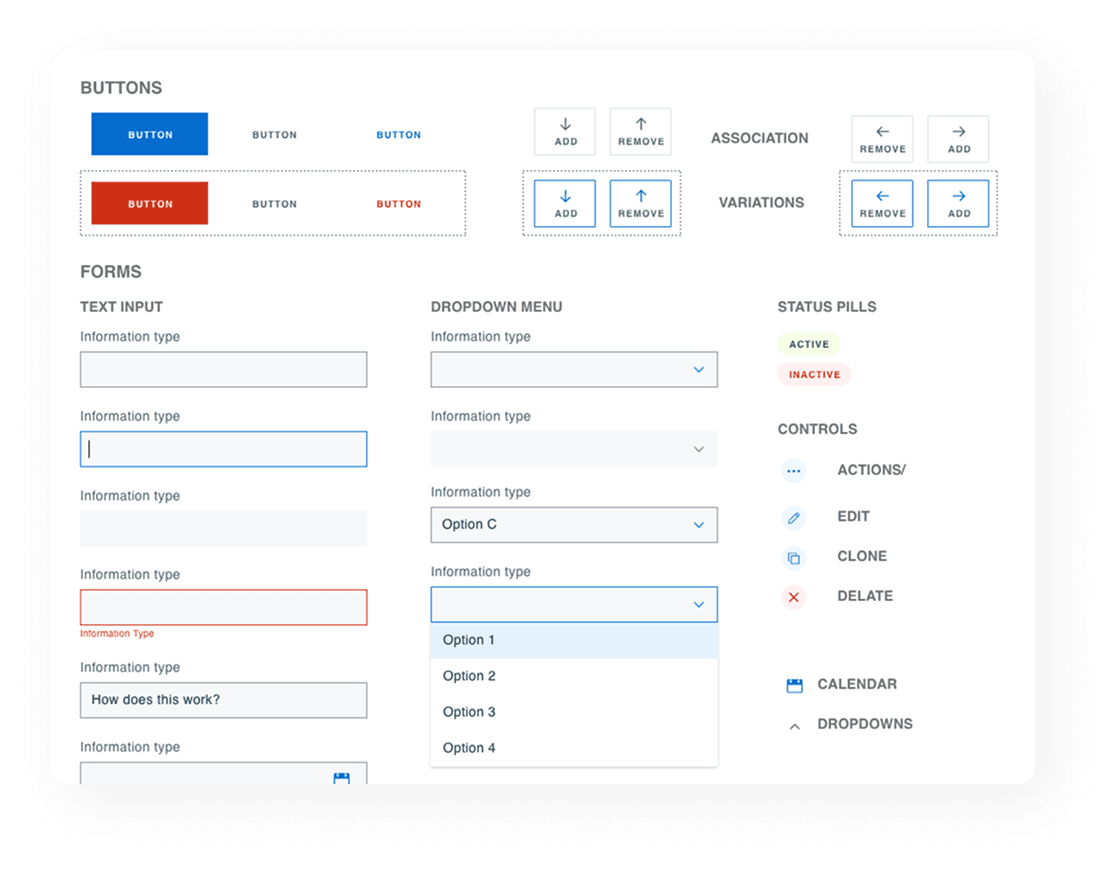
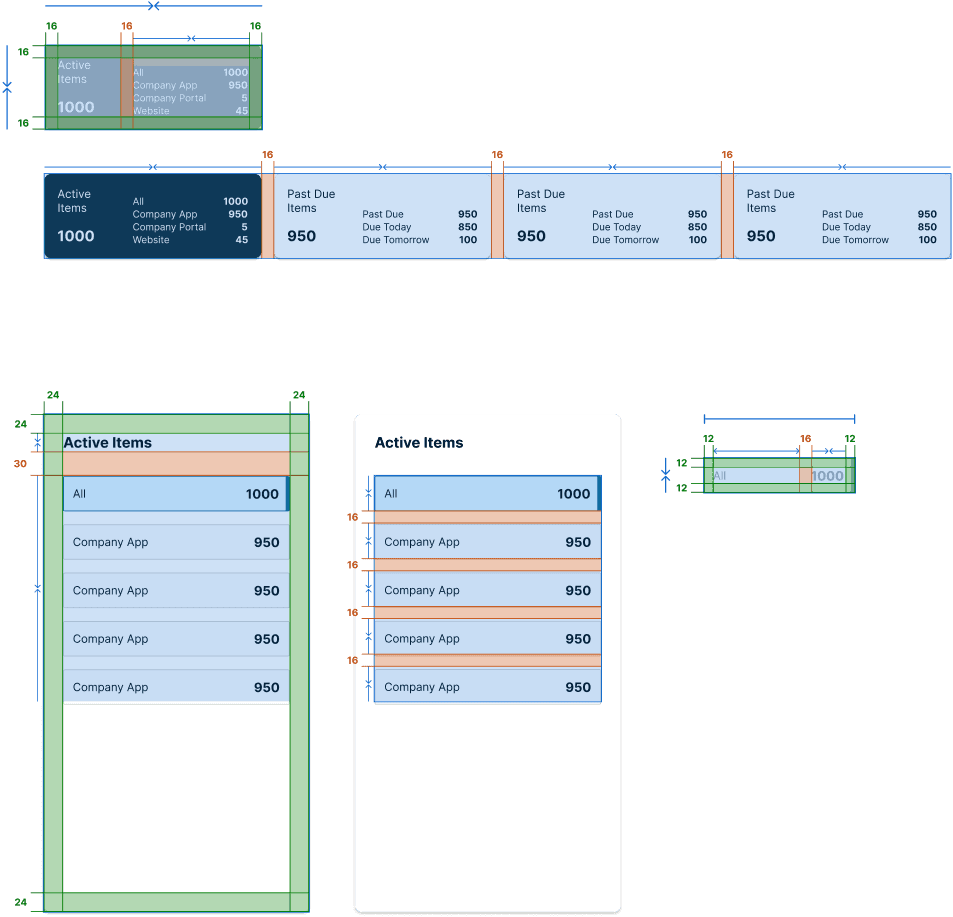
Every component produced during this project (desktop and mobile) was integrated into the platform's design system following an atomic design approach.
This meant that future dashboards could be built from existing parts rather than designed from scratch. New subsystems could adopt the template without requiring a separate design engagement. The system did what systems are supposed to do: it made individual decisions unnecessary by making the right structure the default.
What I achieve
03 · THE OUTCOMES
3.1 RESULTS
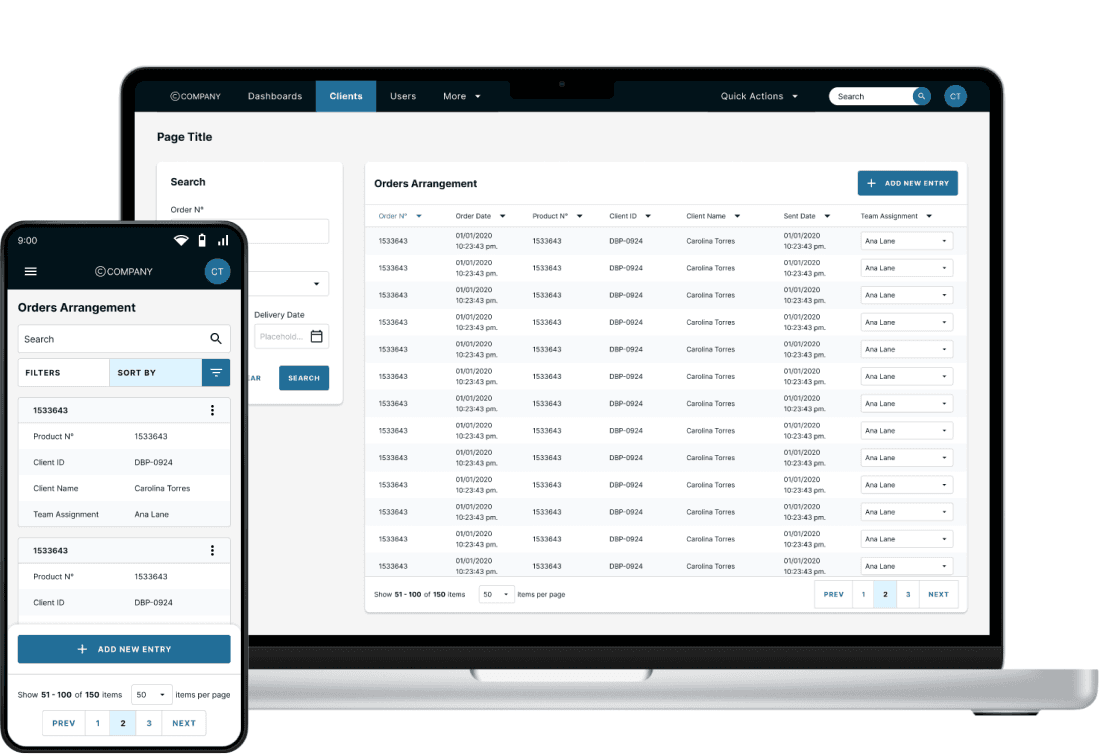
The dashboard template addressed the original problem; fragmented, inconsistent data access across subsystems. By replacing it with a shared structure flexible enough to hold different types of information.
Replicability and design velocity
Designers building new dashboards had a starting point that already met the platform's visual and interaction standards. Configuration replaced construction.
Reduced onboarding friction
The standardized navigation structure lowered the learning curve that had previously required extensive training per system. Users moving between subsystems encountered the same interaction logic each time.
Scalable across a national platform
EXOS served operations teams across multiple U.S. states. A consistent dashboard structure meant that onboarding, support, and documentation could be standardized at the platform level rather than managed per department.
Mobile accessibility
Introducing a mobile-compatible experience extended access to key operational data beyond desktop environments. Aligned with WCAG accessibility standards and designed to support different usage contexts without compromising clarity.
Design system expansion
The project added a family of dashboard and mobile components to the platform's design system, strengthening it as a foundation for future development rather than a reference for past decisions.
3.3 MY LEARNINGS
The most important thing this project taught me: the goal was never to design a dashboard. It was to design a system that made all future dashboards easier to build, easier to learn, and consistent enough that the platform itself became the guide.